Calculate Email Reply Times Web Application
Match selected messages with their apparent replies and estimate the time between them. Save a report by conversation, correspondent or date range, including messages that could not be matched.
 Try Webapp
Category Directory
Gmail desktop applications
Match selected messages with their apparent replies and estimate the time between them. Save a report by conversation, correspondent or date range, including messages that could not be matched.
Try WebappArrange selected emails by conversation and date, then combine each conversation into a PDF file. Include a contents list, bookmarks and attachment details.
Try WebappCompare two email exports or backups to find messages present in only one archive and messages with differing contents. Save a report identifying the matching and different records.
Try WebappExtract supplier names, item details, quantities and prices from quotation emails. Review one row per quotation in an Excel comparison table and save the register.
Try WebappCount selected emails by sender, domain, date and time period. Save Excel reports showing message activity, frequent correspondents and attachment totals.
Try WebappExtract booking details from supported flight, hotel, rental and reservation emails. Review the dates and locations, then save a chronological itinerary and optional calendar files.
Try WebappCreate an Excel list of attachments in selected emails. Include filenames, file types, sizes, senders, message dates and subjects.
Try WebappExport selected emails to an Excel workbook with one message per row. Choose columns for dates, senders, recipients, subjects, message text and attachment counts.
Try WebappRead supported delivery-failure messages and extract the affected email addresses, error codes and failure reasons. Save the results to CSV with the date and subject of each notice.
Try WebappExtract names, companies, email addresses, phone numbers, postal addresses and websites from supported email signature layouts. Review the results and export the contact details to CSV or VCF.
Try WebappBuild a contact list from the senders and recipients in selected emails. Export names and addresses to CSV or VCF, with a CSV report of first contact, last contact and message counts.
Try WebappExtract vendor names, dates, invoice numbers, amounts and currencies from supported invoice and receipt emails. Review the extracted details and save an Excel register with the related attachments.
Try WebappExtract merchant names, order numbers, purchase dates, amounts and currencies from supported order confirmation emails. Review the results and save an Excel purchase register with source-message references.
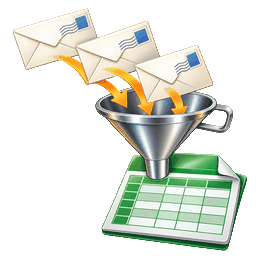
Try WebappExtract tables from selected HTML emails and save them to Excel worksheets. Keep the table rows and columns together and identify the email containing each table.
Try WebappExtract the contents of supported ZIP attachments from selected emails. Save the extracted files in separate folders with an index linking them to their source messages.
Try WebappExtract web addresses from selected emails, including the destinations of HTML links. Save a CSV list with link text, domains and source-message details.
Try WebappFind phone numbers and postal addresses in selected email messages. Export the matches to CSV with the sender, date and subject of each source message.
Try WebappDefine reusable rules for extracting purchase order numbers, ticket numbers, account references and other values from email text. Save the results in named Excel columns with source-message details.
Try WebappExtract tracking numbers, carrier links and order references from supported shipment emails. Save a spreadsheet linking each shipment record to its source message.
Try WebappCollect subscription names, prices, billing periods and renewal dates from supported emails. Review the details and save a spreadsheet with optional calendar reminder files.
Try WebappCompare attachment contents across selected emails to find identical files. View where each file occurs and save one copy of each distinct attachment or retain every occurrence.
Try WebappFind duplicate messages using file contents, message identifiers or selected message details. Review conflicting copies and save the retained messages with a duplicate report.
Try WebappCompare selected sent and received messages to find conversations that appear to be awaiting a reply. Save a report showing the recipient, subject, sent date and days elapsed.
Try WebappCompare the sizes of selected messages and attachments to identify the largest items. Save a report showing their sizes, senders, dates and subjects.
Try WebappGroup likely newsletter messages by sender and show their frequency over a selected period. Export a report containing sender details and available unsubscribe links.
Try WebappList messages recorded as unread and older than a selected date or number of days. Save a report grouped by sender, folder or message age.
Try WebappPlay sounds when new Gmail emails arrives.
 Download
 many Gmail file attachments at once.
DownloadDownload many Gmail emails to the hard drive.
DownloadConvert many Gmail emails into PDF format.
DownloadExtract email addresses from Gmail.
DownloadExtract specific text from Gmail.
DownloadPrint many Gmail messages to the printer.
DownloadSend email messages to multiple addresses.
DownloadSend text messages to cell phones with Gmail.
DownloadCollect PDF attachments from selected emails and arrange them in the required order. Join them into one PDF with bookmarks identifying the source messages.
Try WebappCollect purchase confirmations, receipts and warranty correspondence into a local archive. Save the supporting messages and attachments with an index of reviewed purchase, return and warranty dates.
Try WebappCollect attachments from selected bank, utility or vendor statement emails. Save them in folders by sender and month, with a CSV index of the related messages and available account references.
Try WebappFind selected names, email addresses, account numbers or phrases in emails. Review the matches and create PDF or text copies with the selected content removed.
Try WebappSave email attachments with filenames based on the message date, sender, subject or original filename. Arrange the saved files in folders and keep files with matching names distinguishable.
Try WebappSave attachments from selected emails together. Filter by sender, date or file type, then download the files in a ZIP archive or save them to a selected folder.
Try WebappCollect selected client or project correspondence into one archive. Include the messages, attachments, a dated index and an HTML reading view.
Try WebappCollect photo attachments from selected emails and organize them by sender or message date. Save the original image files with an optional contact sheet for browsing.
Try WebappSearch message text, subjects, senders and dates in imported MBOX or EML email archives. Save matching messages with a results index.
Try WebappSearch text in supported PDF, Word, spreadsheet and text attachments. Save matching attachments with an index identifying their source emails and matching text.
Try WebappDivide an exported Gmail MBOX file into smaller MBOX files by date, sender, label or selected size limit. Save an index showing which messages were placed in each output file.
Try WebappReview application confirmations, interview requests and other job correspondence in selected emails. Save a spreadsheet showing employers, positions, application dates, responses and current application status.
Try WebappConvert multiple VCFs to Gmail CSV files.
DownloadBundle Checkout
Gmail desktop applications